Only about 3% of global SaaS revenue comes from privately held firms in India. Zoho is one of them. This demonstrates the unique and powerful potential of a homegrown alternative for Indian businesses.
Sridhar Vembu founded Zoho in 2005. It offers a full suite of tools like Zoho Mail, WorkDrive, and Meeting. It also has Writer/Sheet/Show for documents, Cliq for chat, and more. This is why many consider Zoho a top choice compared to Google and Microsoft.
Zoho has declined acquisition offers to expand its comprehensive platform. It matches Google Workspace and Microsoft 365 in features. This article explains what Zoho is, its benefits over Google, and why it is a better choice than Microsoft for Indian teams.
✅ Key Benefits of Zoho
- Its product footprint maps to Gmail, Drive, Docs, Slack, Salesforce, and more.
- Zoho positions itself as a cost-effective alternative to Google Workspace and Microsoft 365.
- Affordability: Plans start as low as ₹59($0.7)/user/month for Mail Lite, making it ideal for cost-sensitive teams.
- Privacy & Security: Strong emphasis on data privacy, with no ads and robust compliance features.
- Integrated Ecosystem: Seamless integration across apps like CRM, Projects, Books, and Desk.
- Customization & Automation: Tools like Zoho Flow and Creator allow workflow automation and app building.
- Multilingual Support: Useful for teams operating in diverse linguistic environments.
- Lightweight & Efficient: Optimized for low-bandwidth environments, which is helpful in regions with limited connectivity.
🆚 Why Choose Zoho Over Google or Microsoft?
- Cost Advantage: Zoho is significantly more affordable, especially for medium startups and SMEs.
- Privacy Focus: Unlike Google, Zoho doesn’t monetize user data.
- All-in-One Simplicity: Provides a unified experience across business functions, eliminating the need for third-party integrations.
- Local Support & Pricing: Tailored plans for local users with regional support.
What is ZOHO
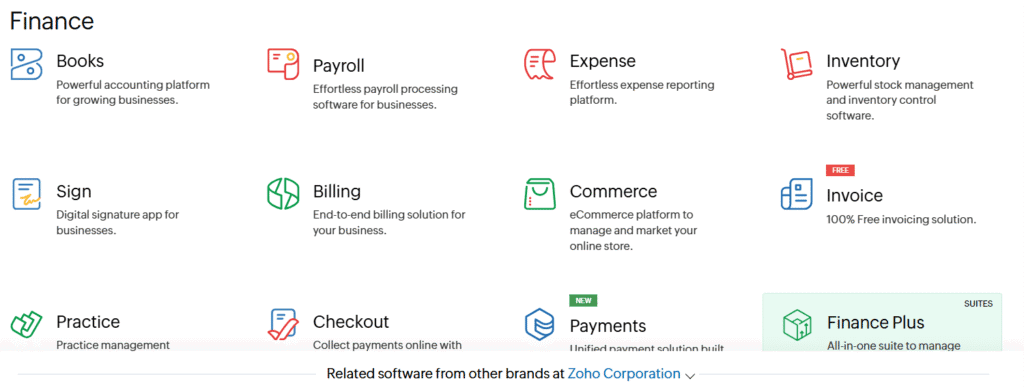
When you think about tools for your business, you might wonder about Zoho. Zoho is a web-based software company. It offers a wide range of cloud apps for work, communication, finance, IT, and more. It aims to help both small teams and large organizations manage their daily tasks efficiently without the need for multiple tools.
So, what is Zoho really? It’s about being simple, affordable, and well-connected. You get tools like email, documents, spreadsheets, and calendars. Additionally, it offers CRM, accounting, IT management, and tools for creating custom applications.
Zoho’s company background and vision
Zoho started in 2005, focusing on software as a service. Its parent company, AdventNet, had experience in networking and data centers. Sridhar Vembu leads Zoho with a focus on staying independent and avoiding big exits.
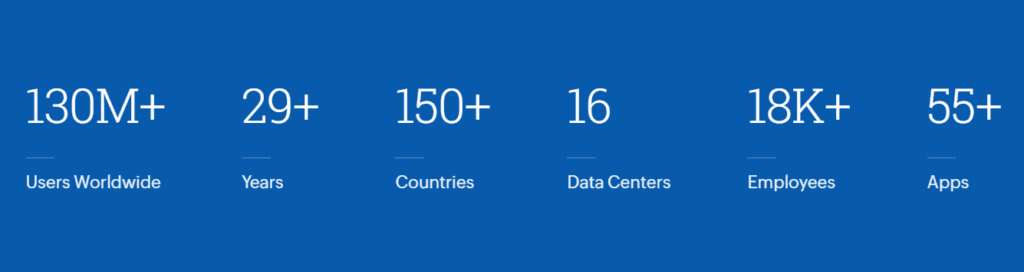
Zoho serves over 700,000 businesses across 150+ countries, with a user base exceeding 100 million global users. These clients range from small startups to large enterprises, including well-known companies such as Amazon, Hyundai, Levi’s, and FedEx.
- 🏢 Total Businesses Using Zoho: 700,000+
- 🌍 Countries Served: 150+
- 👥 Global Users: 100 million+
- 🧩 Industries Covered: Automotive, Finance, Healthcare, Education, Retail, Construction, and more
Zoho’s reach is powerful in sectors that value affordability, privacy, and integrated business tools.
Zoho aims to create software that’s easy to use and can grow globally. It uses big engineering teams in India and around the world. This approach enables them to update their software frequently and keep it closely aligned with customer needs.
Core product categories and reach
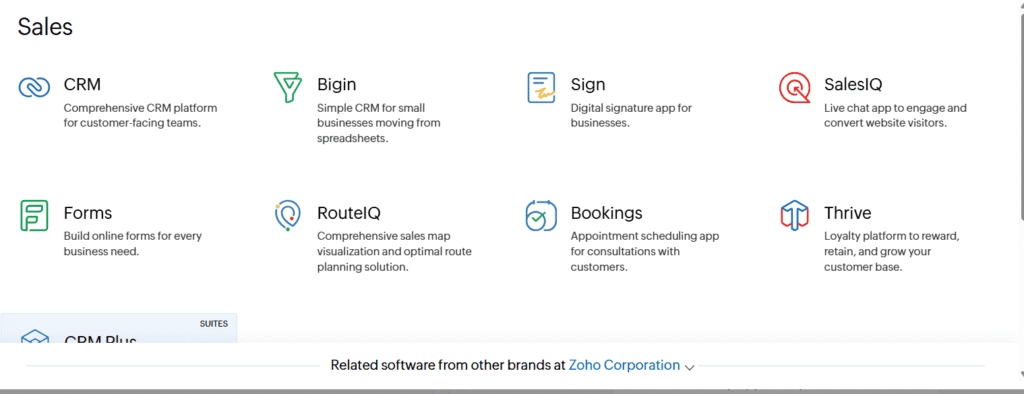
Zoho’s products fall into several main categories. For work and teamwork, there’s Mail, Writer, Sheet, Show, Calendar, and WorkDrive. For talking, there’s Meeting and Cliq. For business, there are CRM, Books, Invoices, Expenses, and Payroll.
For IT and security, there’s Directory, Desktop Central, and Assist. For making things easier, there’s Creator and Flow. For deeper industry needs, analytics and apps are available for education, finance, and public services.
Millions of users worldwide use Zoho on both free and paid plans. It’s popular among small and medium-sized businesses, non-profits, and even large companies. This widespread use raises questions about Zoho as an alternative to global software suites.
Workspace productivity and collaboration apps
Zoho Workplace combines email, cloud storage, document editing, and meetings in one place. It has Mail for custom domains and team policies. WorkDrive offers shared storage by project, not by user.
Writer, Sheet, and Show enable teams to edit documents together in real-time. Calendar, Notebook, and Meeting help with scheduling and team collaboration. You can start with a Forever Free plan for small teams and upgrade as needed.
The Mail-only plan is for teams that require a custom email address. Storage and permissions are set for shared workflows, not individual inboxes.
Business and vertical applications
Zoho apps go beyond productivity to include CRM, finance, HR, and IT. Zoho CRM helps manage sales pipelines and lead scoring for both small businesses and large teams. Books, Invoice, Expense, and Payroll handle accounting for Indian companies.
Projects and Sprints are for project management teams. PageSense helps with conversion optimization and analytics. Campaigns automate email marketing. Commerce supports online stores. Desktop Central manages devices for IT teams.
These apps solve common problems in accounting, HR, IT, and sales.
Zoho One and packaging strategy
Zoho One bundles multiple apps into a single license, eliminating the need for separate solutions. This approach provides an integrated identity, single sign-on, and workflows that eliminate data silos.
Pricing is competitive per user, with a focus on predictable costs for growing teams. The Zoho Suite offers a comprehensive range of tools, eliminating the need to purchase separate products. This strategy facilitates integration and supports seamless end-to-end processes across departments.
🔍 Zoho vs Google Workspace vs Microsoft 365
| Feature | Zoho Workplace | Google Workspace | Microsoft 365 |
|---|---|---|---|
| Best For | Startups, budget-conscious | Cloud-first collaboration | Enterprises, device control |
| Email Client | Zoho Mail | Gmail | Outlook |
| Office Tools | Writer, Sheet, Show | Docs, Sheets, Slides | Word, Excel, PowerPoint |
| Video Conferencing | Zoho Meeting | Google Meet | Microsoft Teams |
| Storage per User | 10 GB to 100 GB | 30 GB to 5 TB | 50 GB Email + 1 TB OneDrive |
| Automation Tools | Zoho Flow | AppSheet, Apps Script | Power Automate |
| Admin & Device Management | Zoho Admin Console, MDM | Google Admin Console | Microsoft Intune |
| Pricing (India, 2025) | ₹59–₹499/user/month | ₹276–₹1,656/user/month | ₹145–₹1,830/user/month |
Feature parity and differentiators
Zoho combines the depth of Microsoft Office with the ease of Google’s web-first approach. It offers document tools such as pagination and equation editors, matching those found in Office. This ensures your team can easily switch between desktop Office files and Zoho apps without losing formatting.
Zoho goes beyond introductory email and docs with many apps. It has native integrations and advanced Writer and Sheet functions. Additionally, it maintains a clean web experience, unlike some desktop-first suites, making it a balanced choice compared to Microsoft 365.
Pricing and value for Indian businesses
Indian companies looking to save money will appreciate Zoho’s predictable subscription fees. Zoho One offers bundled savings, making it a cost-effective option. Its pricing is aggressive, providing access to business apps at a fraction of the cost of some desktop Office licenses.
Choosing Zoho can also reduce your total cost of ownership. Shared team storage and integrated apps mean fewer add-ons are needed. This pricing model is more affordable than Microsoft’s per-seat licensing and Google’s tiered storage costs.
Deployment flexibility and integrations
Zoho supports SaaS deployments and multi-tenant hosting, making it a cost-effective solution for smaller teams. It also offers dedicated hosting or private deployment options for those needing isolation or on-premises setups. This flexibility contrasts with standard cloud-only models, helping to meet regulatory requirements.
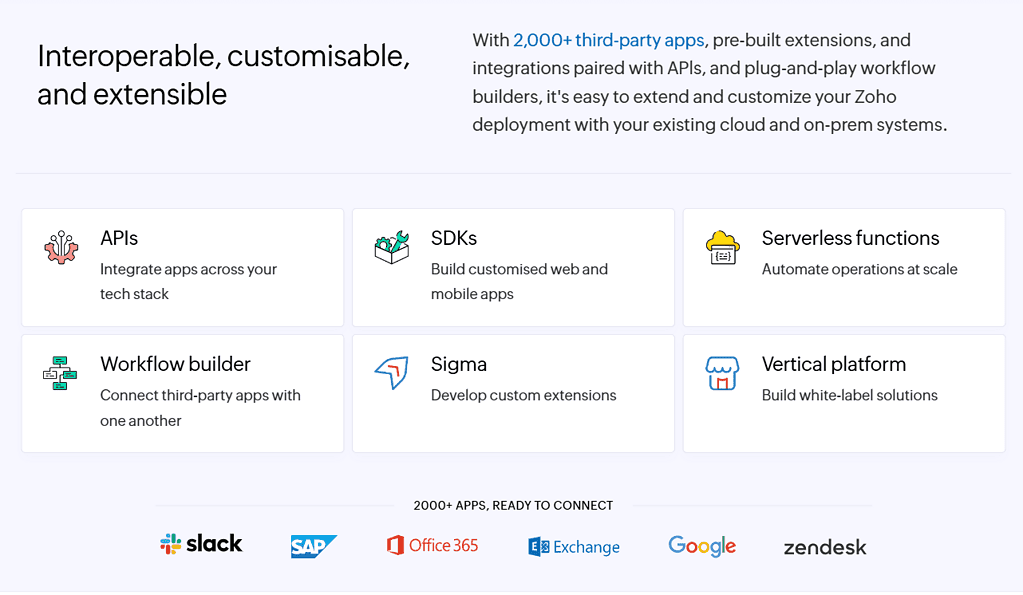
Integrations are extensive. Zoho supports Office import/export, has open APIs, and offers connectors to third-party tools. Zoho Flow and Creator enable low-code automation and custom workflows. These options enhance interoperability compared to closed ecosystems.
| Area | Zoho | Google Workspace | Microsoft 365 |
|---|---|---|---|
| Feature parity | Strong web features plus Office-style advanced tools and plugins | Web-first simplicity with fewer advanced document features | Rich desktop feature set; web apps improving |
| Pricing model | Bundled, low-cost subscriptions; Zoho One for full-suite access | Per-user plans with tiered storage; competitive for small teams | Desktop licensing can raise costs; subscription tiers vary by feature |
| Deployment | Cloud SaaS, multi-tenant, and dedicated/on-prem options available | Cloud-only SaaS focused on Google Cloud | Cloud and hybrid options; strong integration with Windows environments |
| Integrations | APIs, Zoho Flow, Creator, broad connectors to third-party tools | Strong Google API ecosystem and Chrome/Android tie-ins | Deep Office and Azure integrations; extensive third-party support |
| Value for Indian businesses | Predictable low-cost plans, local relevance, bundled savings | Good for cloud-native teams; storage costs add up at scale | Powerful features for enterprises; licensing complexity can raise costs |
Zoho features that matter to Indian businesses
Zoho’s products meet the needs of small and mid-sized businesses in India. It offers deep app features at affordable prices. This makes Zoho an excellent choice for teams looking for value without the hassle of IT.
Localization is key to Zoho’s success in India. It supports local languages in select apps and offers billing options that cater to Indian budgets. This ensures solutions align with cultural and regulatory needs.
Scalability is essential as your business grows. Zoho’s multi-tenant architecture shares resources while keeping customer data secure. It also offers dedicated instances or on-premises options for bigger firms.
Regular updates keep Zoho’s products fresh. It has a predictable release schedule and listens to customer feedback. This means you get quick fixes and new features without long wait times for upgrades.
Here’s a quick comparison to help you decide between platforms for India.
| Need | What Zoho provides | How that helps your business |
|---|---|---|
| Local compliance and billing | Pricing in INR, GST-aware invoicing, regional language UI | Simpler accounting, faster onboarding, better customer trust |
| Cost and growth | Multi-tenant architecture with options for dedicated deployments | Lower per-user costs, ability to scale without significant capital expense |
| Feature cadence | Frequent product updates and agile releases | Access to new features quickly, reduced patching work for IT |
| Data isolation | Tenant-level isolation and regional data center choices | Compliance flexibility and more precise data residency controls |
| Support and fit | Local support teams and India-focused documentation | Faster issue resolution, culturally aligned guidance |
Data safety and data sharing outside India
You want to know where your business data is and how it moves. Zoho operates its own cloud and maintains multiple data centers. This gives you control over your data and allows you to limit sharing outside India when you want.
Zoho hosting puts small and medium businesses’ data on a shared cloud. You can request dedicated hosting or on-premises solutions for larger needs. This way, you can grow without losing control over the location of your data.
Security is key, with controls like partitioning and encryption. These steps help meet audit and certification standards. Zoho can also add special terms to contracts for extra security.
Data privacy is crucial, with measures such as limiting access and maintaining logs. Zoho helps with data sharing rules and supports regional hosting. This reduces sharing outside India. Enterprise deals can set more specific rules for data transfers.
| Area | Typical SMB Setup | Enterprise Options |
|---|---|---|
| Hosting | Zoho hosting on shared multi-tenant cloud in regional zoho data centers | Dedicated hosting, single-tenant cloud, or on-premises deployment on request |
| Data residency | Regional placement by default, with controls to select the region | Contractual guarantees and physical isolation to limit data sharing outside India |
| Security | Encryption, access controls, monitoring, and tenant separation | Advanced access policies, dedicated logging, third-party audits, and tailored security compliance |
| Data privacy | Admin controls, limited internal access, standard privacy policies | Custom privacy terms, data handling assurances, breach notification clauses |
| International transfers | Supported for global use with options to restrict transfers | Engineered to minimize transfers; contractual and technical controls available |
When selecting a provider, consider their infrastructure and how they manage data sharing. Zoho’s cloud and hosting options make it easy to meet data safety and privacy needs in India.
Benefits of Zoho over Google and how it is better than Microsoft
You’re looking for a cloud suite that’s affordable and fits Indian needs. Zoho offers a mix of tools and apps that are both familiar and deep. It’s also cheaper than many other options.
Cost is key for small and mid-sized teams. Zoho’s One and Workplace tiers offer apps in bundles. This means you pay less per user than Microsoft and often less than Google Workspace.
Zoho combines desktop-like features with web access. You get advanced editing tools, such as pagination and equation editors, directly in your browser. This provides you with great functionality without requiring the installation of heavy software.
Offline access and sync are supported. This lets your team work even when the internet is down. It keeps collaboration smooth, no matter where your team is.
Local support makes a big difference. Zoho’s Indian teams offer help that’s culturally attuned and quick. This is a significant advantage when you require fast support or customized workflows.
Zoho offers flexible plans, including Forever Free, for small teams. You can mix and match subscriptions and share storage. This makes it more affordable and allows you to tailor your setup to your specific needs.
When comparing Zoho to Google and Microsoft, consider factors such as cost, functionality, ease of use, and support. For many Indian businesses, Zoho is a practical and scalable choice.
Zoho pricing, plans, and support options
Choosing the right Zoho package depends on your team size, the apps you need, and the level of customization required. This section explains typical tiers, support choices, and custom plans. This way, you can match costs to outcomes without surprises.
Typical plan breakdown and examples
Zoho Workplace plans range from Forever Free for small teams to Professional tiers for growing businesses. The Forever Free tier supports introductory email and documents for a limited number of users. Mail-only and Standard tiers add mailbox size and collaboration tools.
Professional raises storage and admin controls. Storage can be pooled as team storage, with options like 100GB or 1TB shared, depending on the tier.
Zoho One pricing is for companies wanting an all-in-one suite. It bundles dozens of apps under one license, offering very favorable per-user rates. Past analyses have shown full business-app access at approximately $50 per user per year in some cases. This makes the bundle attractive for cost-conscious Indian firms.
| Plan | Primary use | Storage | Typical buyer | Price note |
|---|---|---|---|---|
| Forever Free (Workplace) | Basic mail, docs, chat | Limited per user, small team pool | Micro startups, freelancers | Free for up to 5 users |
| Mail-only / Standard | Email-centric teams with collaboration | Shared team storage (e.g., 100GB) | Small businesses | Low monthly per-user fee |
| Professional | Advanced admin, security, larger storage | 1TB shared or higher | Growing SMEs | Competitive annual rates |
| Zoho One | All-in-one business apps | Depends on included apps and plan | Mid to large enterprises | Attractive per-user bundle pricing |
Support channels and SLAs
Zoho support offers documentation, active community forums, and email or ticket channels for standard users. Paid tiers unlock phone support and faster ticket handling. Enterprise customers can buy premium support with defined SLAs for response and resolution.
You can negotiate dedicated account management, technical escalation paths, and shorter response windows for critical incidents. These options help you align vendor obligations with your internal uptime and compliance needs.
Customization and tailor-made plans
Your organization can mix and match apps, swap modules, or request custom contracts. Zoho’s partner network and in-house professional services handle feature customization, integrations, and dedicated hosting when required.
For complex deployments, you can secure tailored SLAs, bespoke pricing, and implementation support. This approach keeps base costs low while letting you add targeted enhancements where they matter most.
Zoho integrations, CRM, and developer ecosystem
You can build a connected sales and service stack without heavy IT overhead. Zoho CRM powers lead capture, pipeline tracking, sales automation, and seamless integrations with email and telephony. It fits small teams and departmental units inside larger firms.
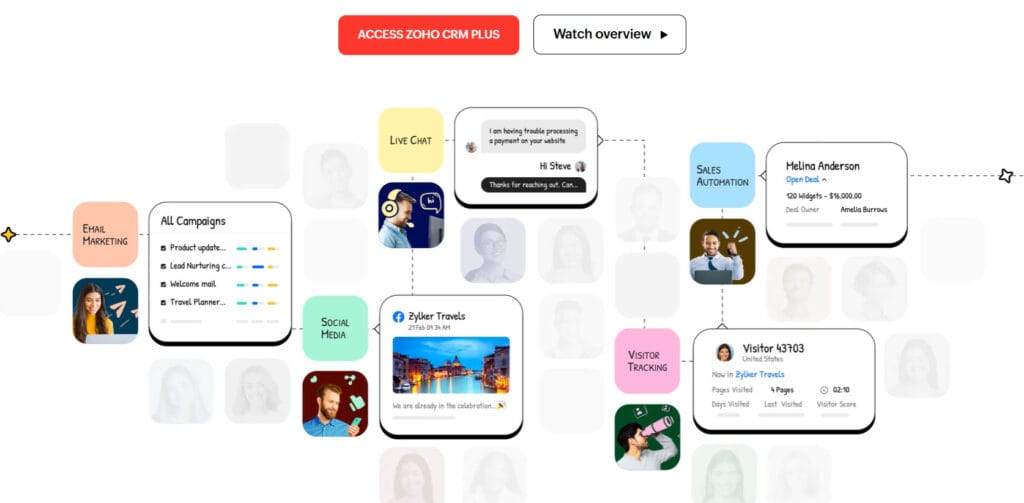
Consider common CRM use cases, such as lead-to-deal workflows, account-based selling, and post-sale support. Zoho CRM supports customizable layouts, scoring rules, and territory management. This lets you map real processes. Many Indian SMBs choose it as a cost-effective alternative to Salesforce because it strikes a balance between depth and price.
Automation reduces manual work and cuts response times. Zoho Flow links apps and triggers cross-application workflows. Built-in automation handles assignment, reminders, and multi-step approvals. You can chain actions across marketing platforms, support tools, and ERP systems to keep data consistent.
Low-code tools speed up bespoke solutions. Zoho Creator lets you model forms, dashboards, and business logic without full-time developers. Use Creator to embed custom apps into your CRM, enabling you to create unique workflows and leverage industry-specific features.
The Zoho developer ecosystem offers APIs, SDKs, and webhook support to connect internal systems or third-party services. Developers can extend CRM functionality, write custom functions, and integrate telephony or payment gateways for seamless operations.
Your partner network helps with implementation and change management. Certified consultants and implementation partners handle migration, customization, and training. They help you adopt best practices fast. That network keeps integrations stable as your needs evolve.
- Key integration points: email, telephony, marketing automation, accounting, and e-commerce platforms.
- Tools to automate: Zoho Flow for cross-app flows, built-in rules inside CRM, and Zoho Creator for custom apps.
- Developer resources: REST APIs, client SDKs, and a partner ecosystem for deployment.
Adopt a phased approach: start with core crm use cases, add automation with Zoho Flow, then expand using Zoho Creator and developer APIs. This path reduces risk and shows quick wins for your teams.
Conclusion 🧩 Zoho Projects vs Microsoft Project
| Feature | Zoho Projects | Microsoft Project |
|---|---|---|
| Ease of Use | Intuitive UI, quick setup | Steep learning curve, outdated interface |
| Pricing | Starts at $4/month | Starts at $10/month |
| Integrations | Strong Zoho ecosystem + 3rd party tools | Limited integrations, mostly Microsoft |
| Collaboration | Built-in chat, forums, and comments | Requires Teams or Outlook integration |
| Agile Support | Kanban, Gantt, and Zoho Sprints | Basic Gantt, limited Agile support |
| Customization | High—custom fields, workflows, layouts | Moderate—mostly template-based |
| Performance | Responsive and lightweight | Laggy and resource-heavy |
🧠 Verdict: Zoho Projects is more affordable, easier to use, and better integrated for small to medium-sized teams. Microsoft Project suits legacy enterprise setups but lacks modern flexibility.
🧪 Zoho Projects vs Jira
| Feature | Zoho Projects | Jira |
|---|---|---|
| Methodology Support | Waterfall, Agile, Hybrid | Strong Agile (Scrum, Kanban) |
| Customization | High—custom fields, task types, workflows | Very high—3,000+ modules |
| Learning Curve | Moderate | Steep |
| Pricing | Starts at $4/month | Starts at $8.60/user/month |
| Reporting | Built-in dashboards, Gantt charts | Advanced reporting, sprint analytics |
| Mobile & Remote Work | Native apps, offline support | Excellent mobile support |
| Integrations | Zoho ecosystem + Slack, Google, etc. | GitHub, Azure, Bamboo, etc. |
🧠 Verdict: Jira excels in Agile-heavy environments and deep customization. Zoho Projects is better suited for teams that need a balance of simplicity, affordability, and cross-functional collaboration.
You now know what Zoho is and why it’s essential for Indian businesses. Zoho is a privately held, India-made SaaS suite. It combines the power of Microsoft Office with Google Workspace’s web-first simplicity and low cost.
Its range of Zoho products includes productivity, CRM, finance, IT management, automation, and low-code tools. This provides you with numerous options from a single vendor.
When looking at benefits, consider Zoho’s pricing and value. For small and mid-sized teams, Zoho’s cost-effectiveness results in lower overall costs. Its local engineering teams update products quickly and fit well with Indian culture.
There’s also a big developer ecosystem and integrations. These make automation and custom workflows easier.
Data safety is key for Indian buyers. Zoho offers data residency and dedicated hosting to meet compliance and cross-border data transfer requirements. Consider your users’ needs, storage requirements, integrations, and compliance with relevant regulations.
If you’re looking for a feature-rich, web-first alternative with local support, Zoho is worth considering. It’s a good choice for SMBs and departments looking for strong features at a fair price.